The Orrery: a user guide
The Orrery is a live, three-dimensional model of where everything is right now: the planets and their moons, asteroids, spacecraft, Earth’s satellites, the Sun’s storms, the nearby stars and their planets, the Milky Way and the galaxies around it. Everything is to scale and in its true place. This guide walks through every feature. Open the Orrery in another tab and try each one as you read.
Opening the Orrery
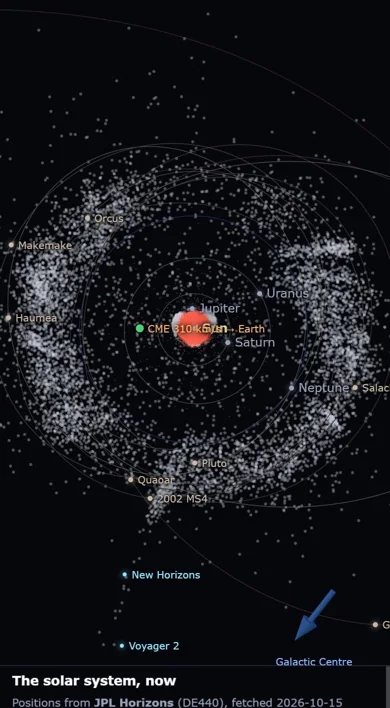
The Orrery opens on the whole solar system seen from above, as it is at this moment. The bar along the top holds, from left to right: the way back to the board, the time the view shows (now, in UTC, Coordinated Universal Time, unless you have travelled in time), the Find box, the ✈ Fly button and the copyright notice. The panel on the left holds everything else: what is happening now, the layers you can switch on and off, the details of whatever you last clicked, and the Go to list.
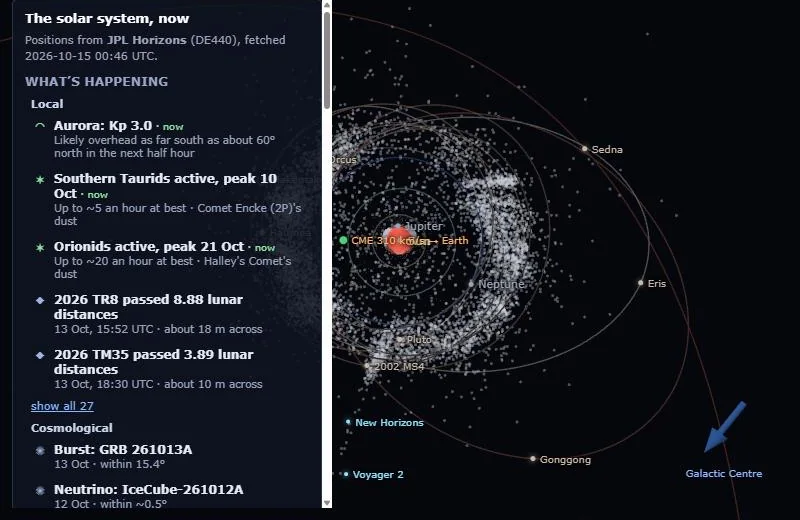
On a phone the panel is folded away so the sky has the whole screen: tap Panel at the top right to open it, and again to close it.
Moving around
The view always turns about one thing, the focus (at first the Sun). You move round it and towards or away from it:
| To | With a mouse | On a touch screen | With the keyboard |
|---|---|---|---|
| turn the view | drag | drag one finger | arrow keys (with Shift: faster) |
| zoom in and out | scroll wheel | pinch | + and − |
| name something | hover over it | — | — |
| its details | click it | tap it | — |
| centre on a star or galaxy | double-click it | — | — |
| back to the solar system | “← Back to the solar system” at the top of the panel | Esc | |
Zooming covers every scale in one smooth movement: keep zooming out from a planet and you pass the planets’ orbits, the Kuiper belt, the Oort cloud, the nearby stars, the Milky Way and the galaxies, out to the edge of the observable universe. Past the planets each turn of the wheel covers more ground.
Finding things
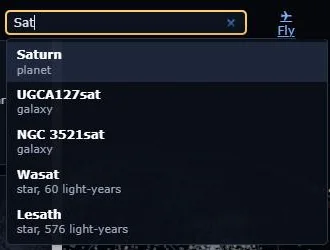
Find (top bar; press / to start typing) searches every planet, moon, spacecraft, asteroid, star, exoplanet and galaxy the Orrery knows by name. Choose a result, or press Enter for the first one, and the view flies there and opens its details.
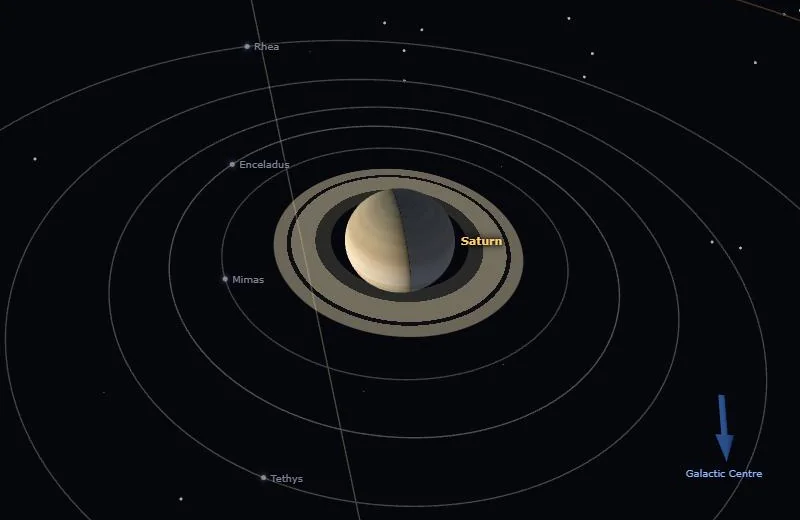
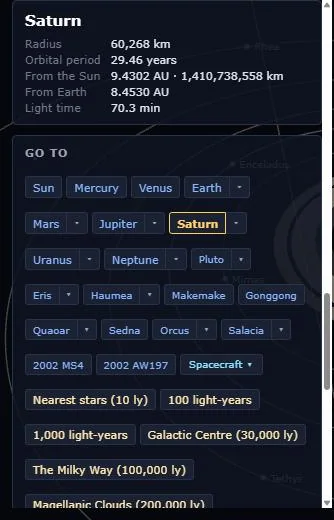
Go to, at the bottom of the panel, has a button for every planet and dwarf planet. A small ▾ beside a planet opens a row of its moons; Spacecraft ▾ lists the space probes. The buttons below them fly out to fixed distances: the nearest stars, 100 and 1,000 light-years, the Galactic Centre, the whole Milky Way, the Magellanic Clouds, the Local Group, the Virgo Cluster, Laniakea and the observable universe.
What’s happening
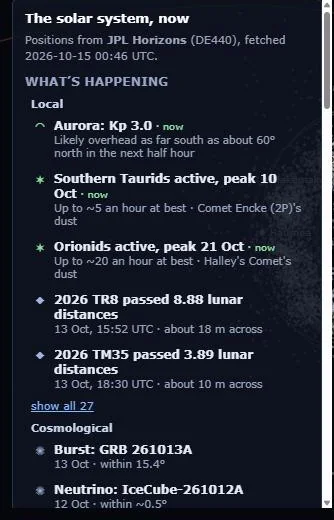
The top of the panel lists what is going on now, newest and nearest first. Local covers Earth and the solar system: the aurora, meteor showers, asteroids passing Earth, the next passes of the International Space Station (ISS) over your place (once you have set one, under Earth), and recent large earthquakes. Cosmological covers events beyond the solar system from the Transient Alerts board: gamma-ray bursts, neutrinos, gravitational waves, supernovae. show all opens the full list. Click any entry to fly to it and read its details.
The layers panel
Below What’s happening are the switches for each layer, in three groups: Solar system, Earth and Stars & galaxies. The group that fits the view you are looking at is open; the others are tucked under Other layers. A short note beside each heading sums up what it holds now (for example, “15 flybys this month”). Hover over a switch for a longer explanation of what it shows and where the data come from.
Your choices are remembered for next time: in your own browser, and, if you are signed in, with your account, so they follow you to any computer. Once you have changed any, Back to the standard view appears under the switches: it puts every layer back as it started.
The solar system
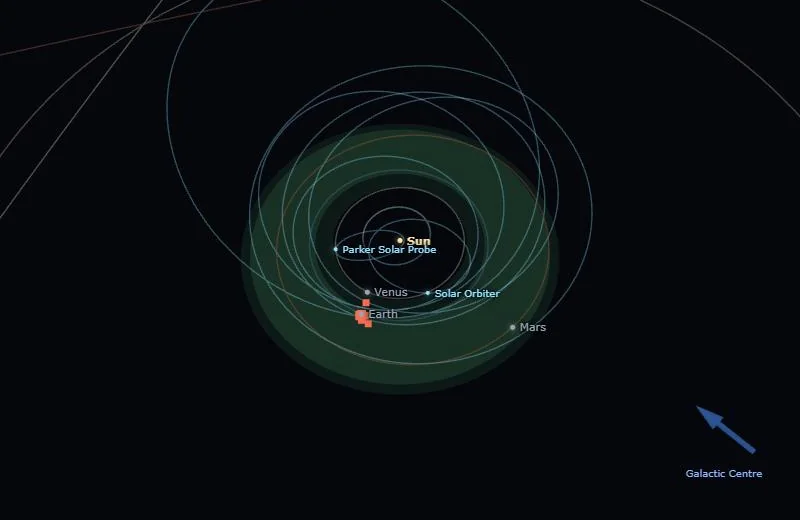
Orbit paths and the habitable zone
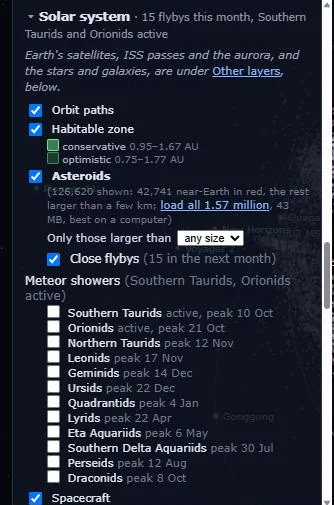
Orbit paths draws each body’s orbit. Habitable zone shades the band round the Sun where an Earth-like planet could keep liquid water on its surface: the brighter band is the conservative estimate (0.95 to 1.67 AU, where one AU, the astronomical unit, is Earth’s average distance from the Sun), the fainter margins the optimistic one (0.75 to 1.77 AU).
Asteroids, flybys and meteor showers
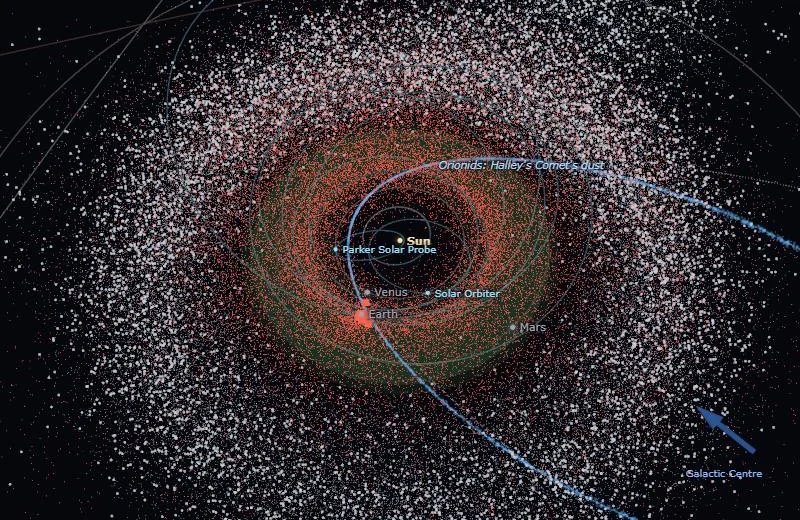
Asteroids shows where they are today, from NASA’s Jet Propulsion Laboratory (JPL): every near-Earth asteroid in red, and every other one larger than a few kilometres in grey. Hover for a name, click for its details and orbit. Only those larger than hides the small ones. The panel also offers to load all 1.6 million known asteroids; that is a large download, best on a computer.
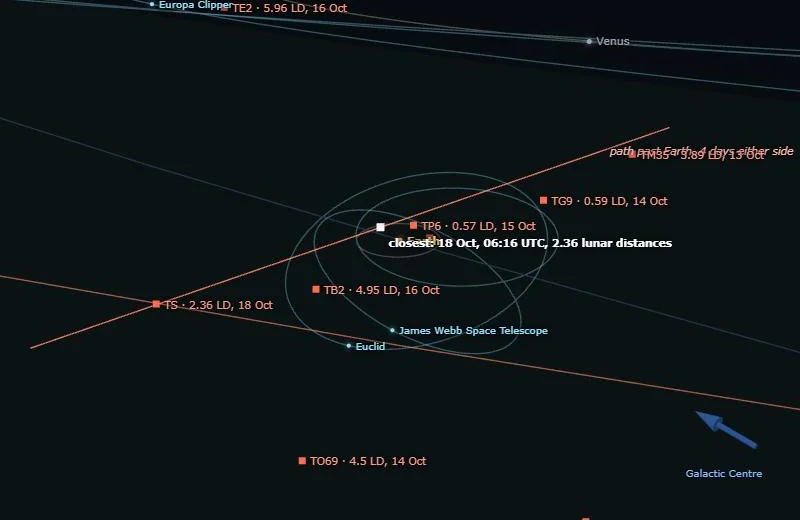
Close flybys marks every asteroid passing within ten times the Moon’s distance in the next 30 days, labelled with that distance in lunar distances (LD; one LD is about 384,000 km) and the date. Choose one in What’s happening to see its path past Earth.
Meteor showers: tick a shower to draw the stream of dust Earth runs through on the same dates every year, along the orbit of the comet or asteroid it came from.
Spacecraft, the Kuiper belt and the Oort cloud
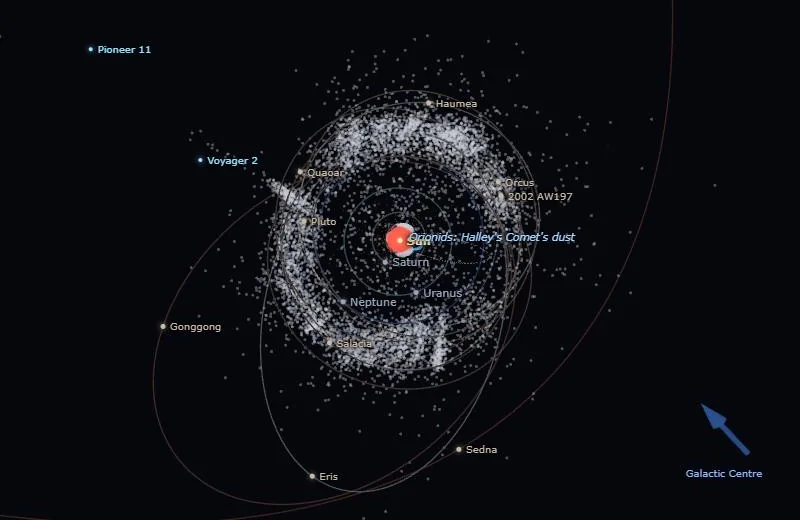
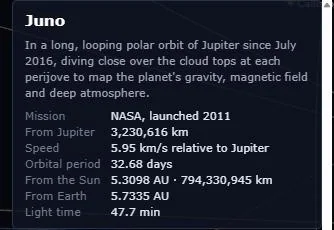
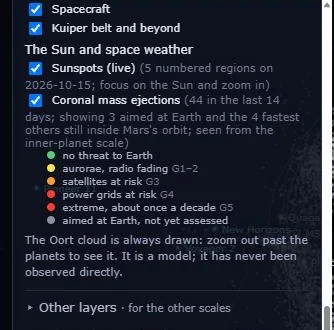
Spacecraft shows NASA and ESA (European Space Agency) probes where they are now: the Voyagers and Pioneers, New Horizons, Juno at Jupiter, the Mars orbiters, the James Webb Space Telescope and more. Choose one under Go to → Spacecraft ▾ for its story and numbers. Kuiper belt and beyond adds the ten largest bodies known past Neptune after Pluto, with their orbits. The Oort cloud, the vast shell of icy bodies thought to surround the solar system, is always drawn: zoom out past the planets to see it. It is a model; it has never been observed directly.
The Sun and space weather
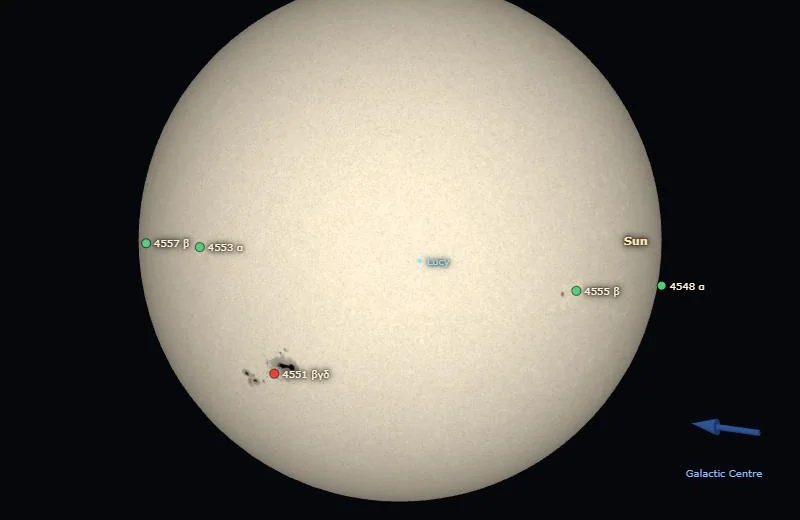
Sunspots (live) wraps today’s photo of the Sun from NASA’s Solar Dynamics Observatory (SDO, refreshed every 15 minutes) round the side facing Earth, and marks the numbered sunspot regions of NOAA (the US National Oceanic and Atmospheric Administration). Go to the Sun and zoom in to see them; click a region for its chance of a flare.
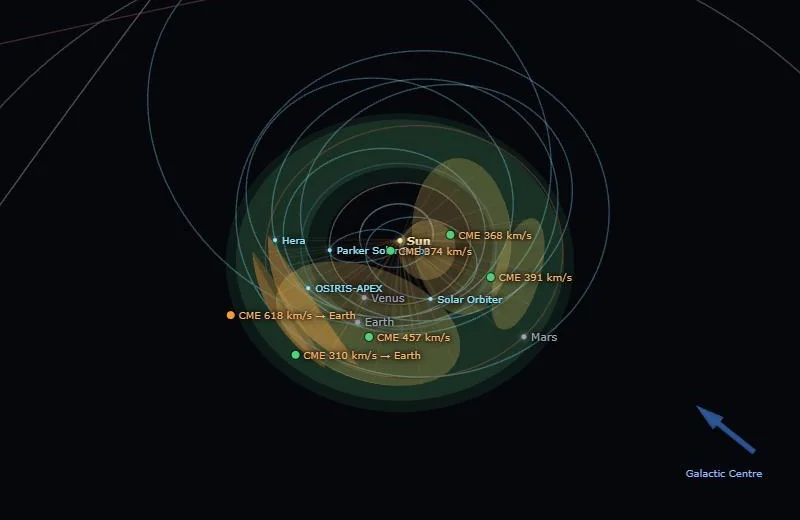
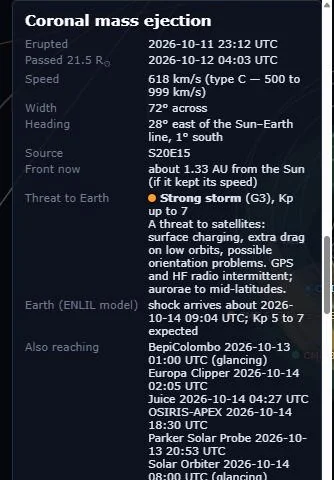
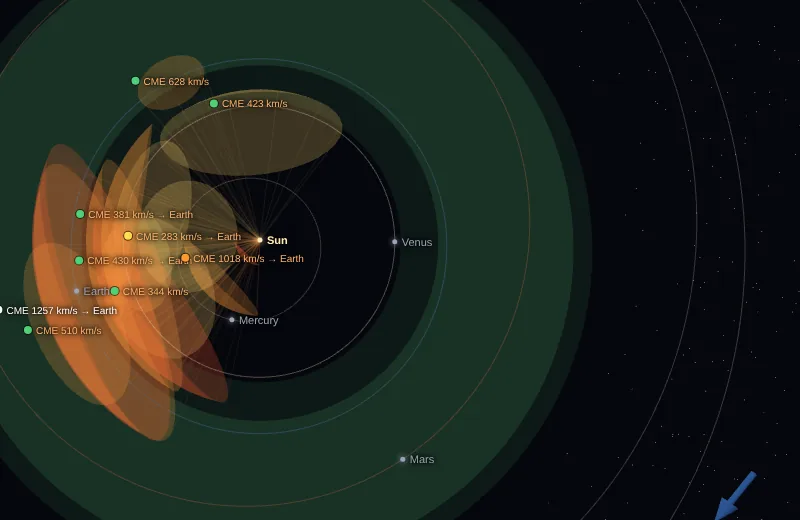
Coronal mass ejections (CMEs) are clouds of solar plasma thrown out by the Sun. Each one of the past two weeks is drawn as a cone spreading from the Sun at its measured speed, from NASA’s DONKI (Database Of Notifications, Knowledge, Information). The dot on its label is its threat to Earth, from no threat (green) to extreme (red), on NOAA’s G1–G5 storm scale. Click a label for when it erupted, how fast and where it is heading, and NASA’s model forecast of when it reaches Earth and how strong a geomagnetic storm it may cause (Kp, the 0–9 index of geomagnetic activity).
Earth
Satellites
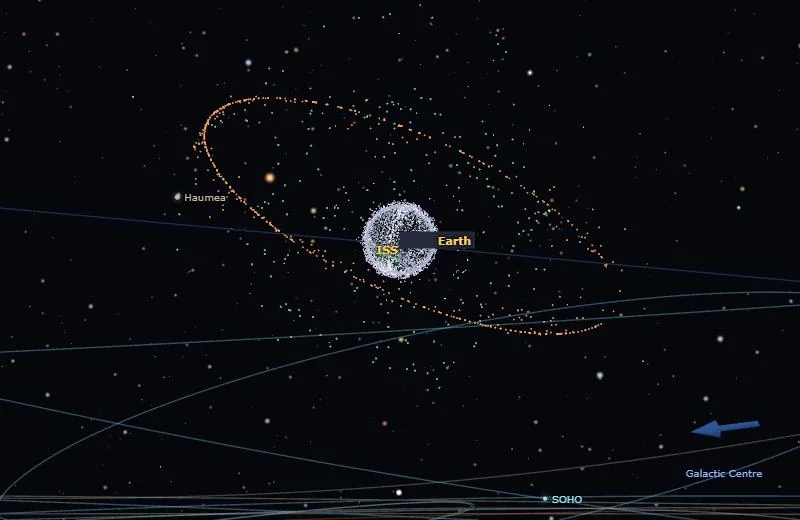
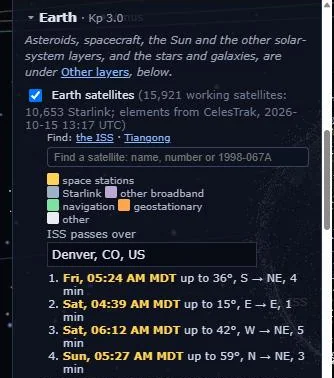
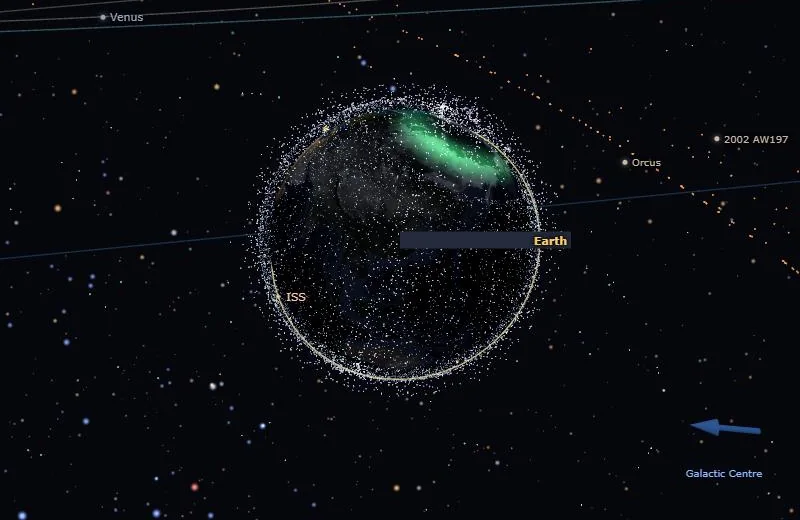
Earth satellites shows every working satellite (about 16,000, most of them Starlink) where it is right now, from the US Space Force’s orbital elements via CelesTrak. They load when you go to Earth; zoom out a little to see the shells of low orbits and the ring of geostationary satellites 36,000 km up. Colours: space stations yellow, Starlink grey-blue, other broadband lilac, navigation green, geostationary orange, others white. Hover for a name, click for its orbit and details.
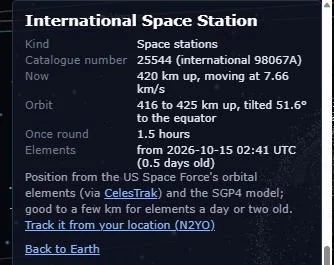
Find: the ISS · Tiangong flies to either space station. While Earth is the focus, a search box finds any satellite by name, by NORAD catalogue number (25544 is the ISS) or by international designator (1998-067A).
ISS passes over: type a town (or a latitude and longitude) and choose it from the list, and the Orrery works out when the ISS will be visible from there in the next three days: high enough, in a dark sky, and lit by the Sun. Your place stays in your browser; it is never sent to the board. The next pass also appears in What’s happening.
Aurora and earthquakes
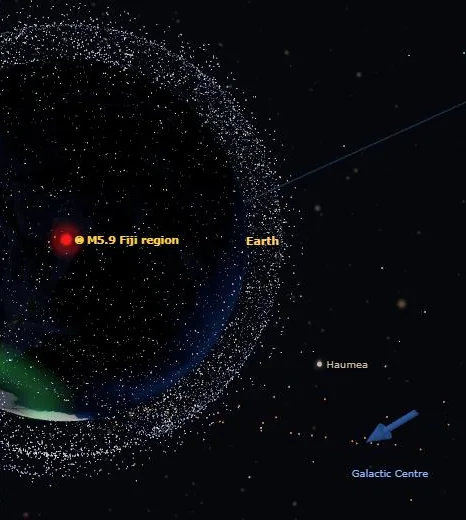
Aurora (live) draws where the aurora is likely overhead in the next half hour, from NOAA’s OVATION model: a green glow round each pole that spreads towards the equator in a storm. Earthquakes of magnitude 6 and above appear in What’s happening; choose one to fly over its epicentre, marked by a flashing red dot, and read its depth and expected impact.
The night sky and constellations
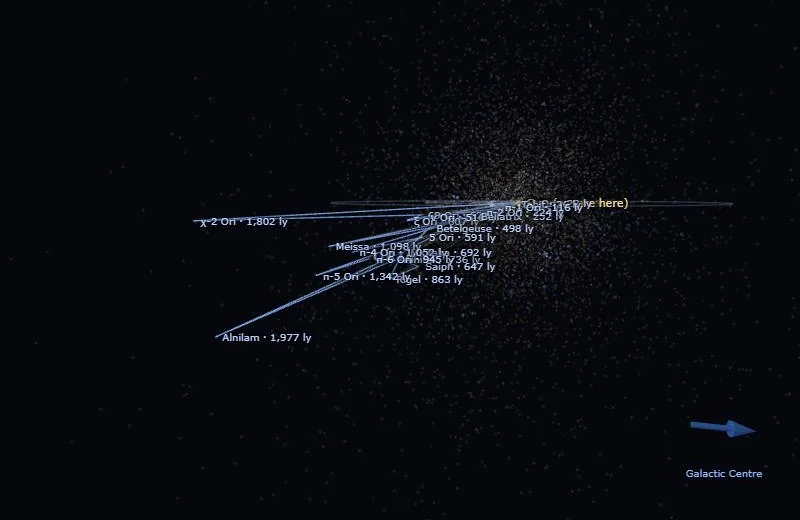
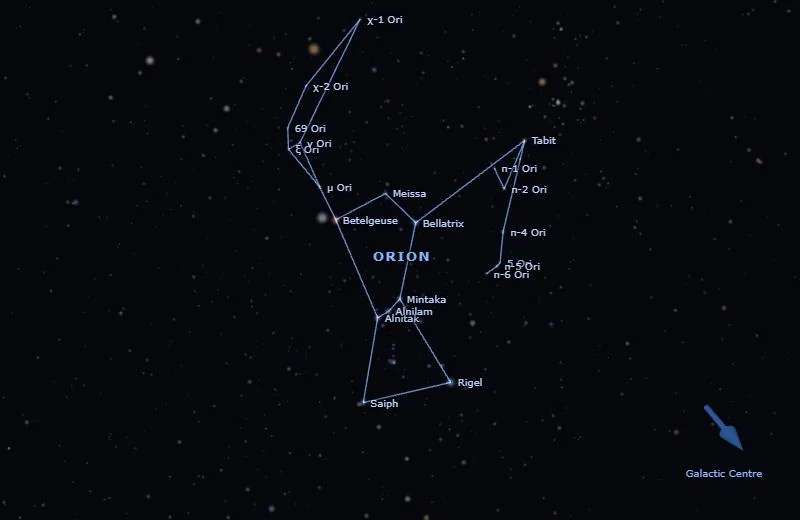
The stars you can see with the naked eye are drawn where they really are, so the sky behind Earth’s night side is the sky people there see overhead. Choose a Constellation to draw its stick figure between its real stars. Then See it in 3D: fly out beside it: from the side, the familiar pattern falls apart into stars at very different distances.
Stars and their planets
Stars and the Galaxy shows every catalogued star within 100 light-years; beyond that, every naked-eye star and every star known to have planets. Their colours follow the key under Star colours (Sun-like, hot blue, white, orange, red dwarfs, white and brown dwarfs; a pulsing star has known planets). Go to → Nearest stars is a good place to start.
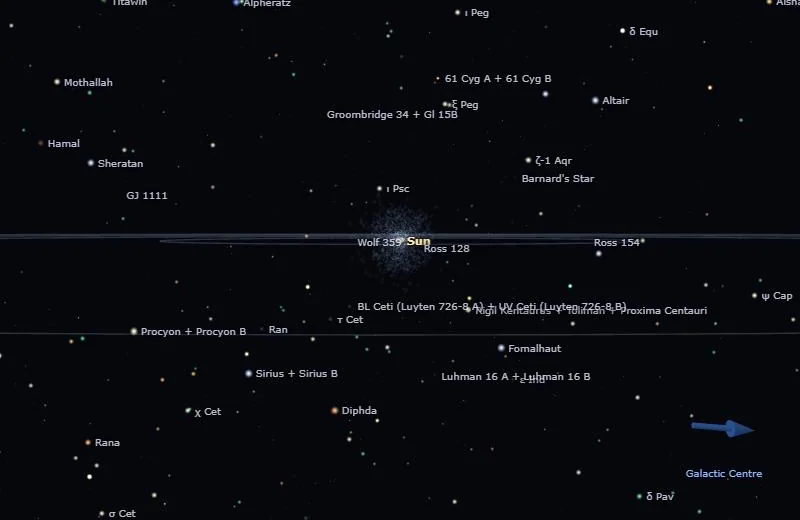
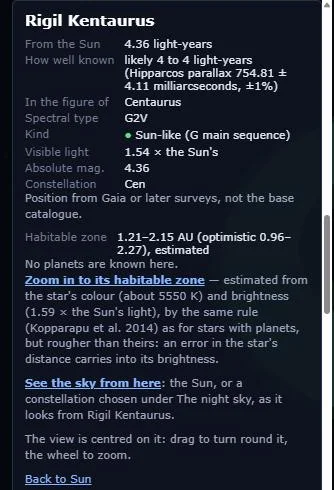
Click a star for its distance (and how well it is known), its type and brightness, and its habitable zone worked out from its colour and brightness. Two links in its details:
- Centre the view on it (or double-click it): the view now turns about that star.
- See the sky from here: stand at the star and look back at the Sun, or at the constellation chosen under The night sky, as it would look from there.
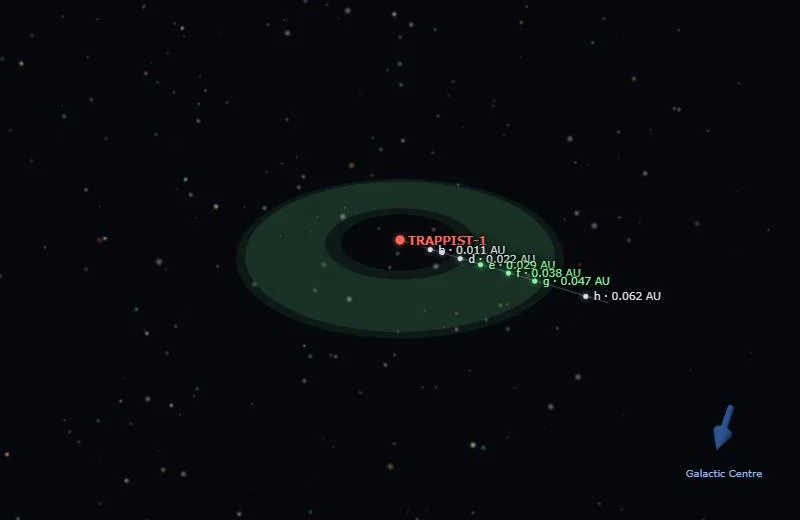
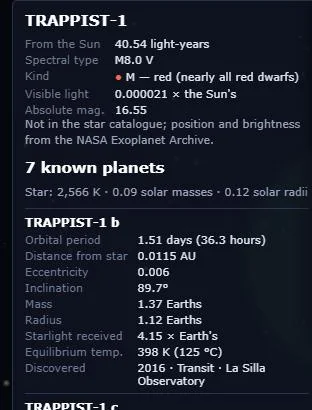
For a star with known planets, its details list each planet (period, distance from the star, mass, radius, the starlight it receives, its temperature, and how it was discovered), and the view shows the planets on their orbits, with the star’s own habitable zone. Planets in the habitable zone are marked green.
The Milky Way and the galaxies
Zoom out far enough (or Go to → The Milky Way) and our Galaxy appears: a model of its spiral arms (brighter where they have been measured, fainter where extrapolated), its central bar, and the Sun’s path round it, once every 230 million years.
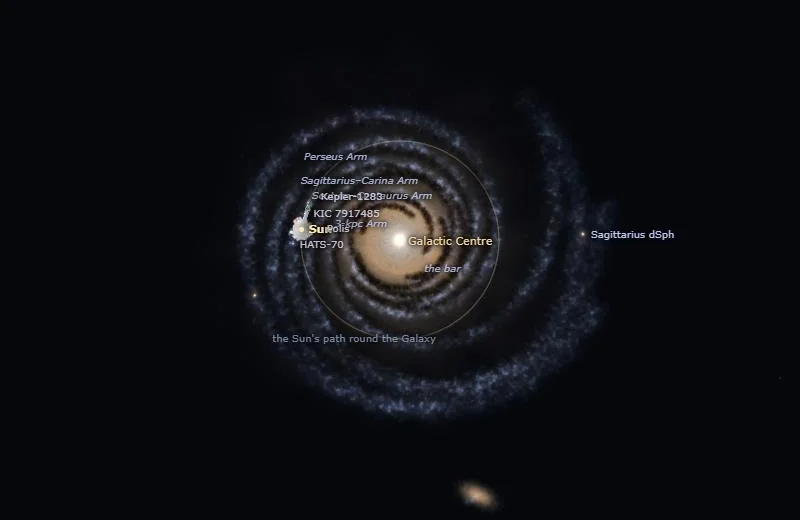
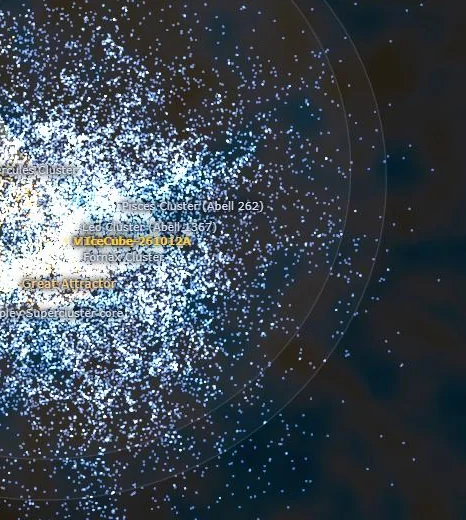
Galaxies and Laniakea adds about 44,000 galaxies, from our Local Group out to Laniakea, the supercluster we live in, at their measured distances, with Laniakea’s boundary. Hover over a galaxy for its name, click for its details, double-click to centre on it. The empty wedges are the zone of avoidance, the part of the sky hidden from us by the Milky Way’s own dust.
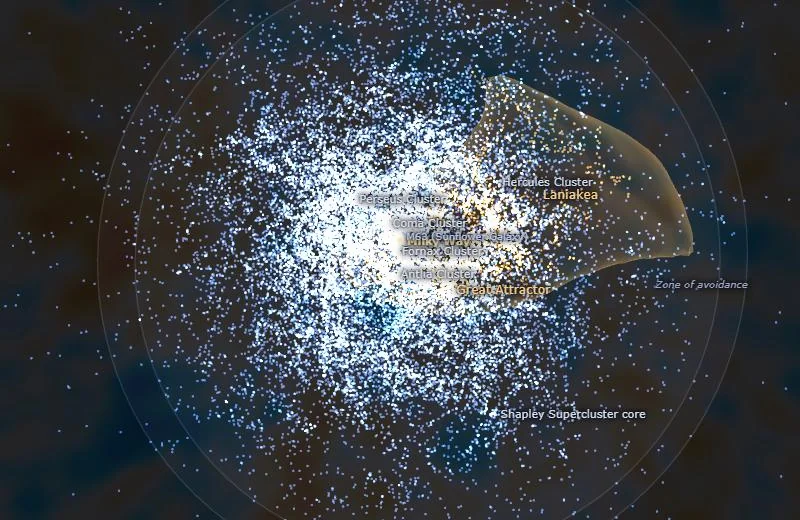
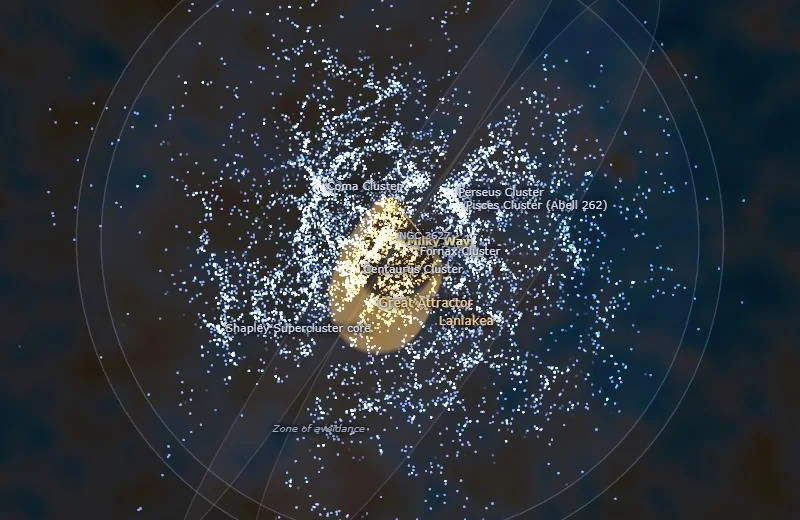
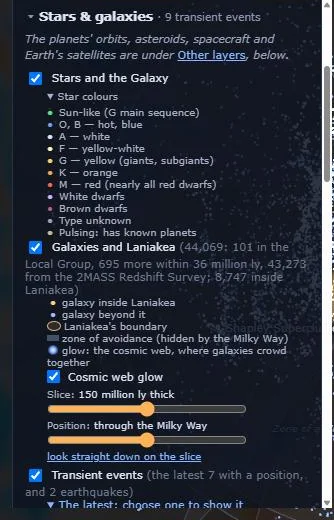
Galaxies lie in walls and filaments round great empty voids, the cosmic web. Cosmic web glow lights up where they crowd together. Seen all at once, the filaments hide behind one another, so set Slice to a thickness (100 to 300 million light-years works best), slide its Position through space, and look straight down on the slice.
Transient events
Transient events places the events from the Transient Alerts board where they happened: supernovae and novae at their galaxies’ distances; gamma-ray bursts, neutrinos and other flashes in their direction (with a dashed line out to the edge of the universe when the distance is not known); comets and interstellar objects on their orbits; and earthquakes on the globe. One is shown at a time: choose it in the list under the switch or in What’s happening, and choose it again to put it away. Each one’s details link to its thread on the board, where the reports and the discussion are.
Travelling in time
Click the clock in the top bar (under it, “travel in time: change the date”; Time on a phone) to set the Orrery to any moment from 3000 BC to AD 3000. Type a date and time (in UT, Universal Time), step back or forward by an hour, a day, a month, a year or a decade, or press ▶ to play forwards and ◀ to play backwards, at anything from an hour to a century a second. Now brings you back. While you are away from the present the clock turns gold.
Dates before 15 October 1582 are in the Julian calendar, as history books give them, so the Ides of March is 15 March 44 BC. Inside a few days of now the positions are JPL’s own; further away they are calculated: the planets to within a fraction of a degree, the Moon to about a tenth of a degree (enough to see eclipses line up), and Earth’s axis turns with the precession of the equinoxes. The moons stay on their orbits but are only roughly in the right places along them, and spacecraft are not drawn. Today’s Sun, the aurora, asteroid flybys and earthquakes are about the present, so they appear only near it.
Zoom in on Earth while away from the present and you see the satellites that were in orbit on that date, from CelesTrak’s catalogue of every satellite ever launched, with a count in the corner: none before Sputnik 1 on 4 October 1957, a few hundred by the late 1960s, and the swarm of Starlinks from 2019. Each is on the orbit the catalogue gives it; where it was along that orbit is illustrative.
The coronal mass ejections go back in time too: every one NASA has catalogued since 2010, so you can watch, say, the storms of May 2024 head out from the Sun.
Free flight
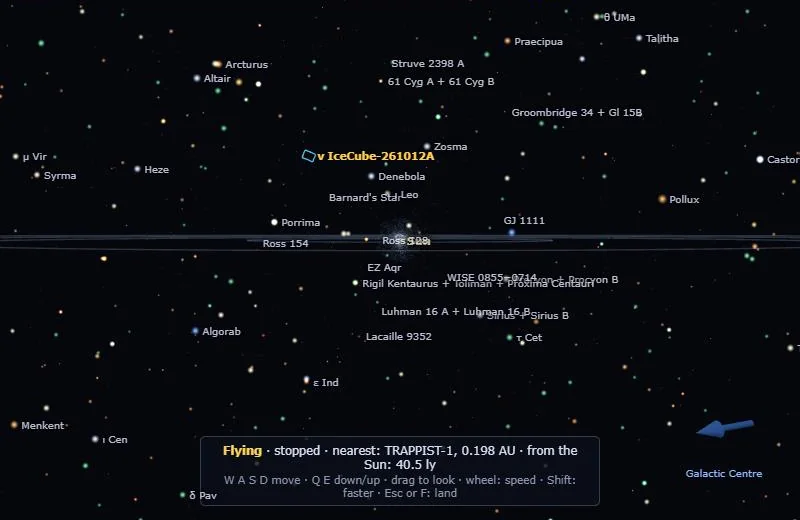
✈ Fly (or the F key) lets go of the focus: you are the camera. W and S (or ↑ ↓) fly forward and back, A and D sideways, Q and E down and up, ← → turn; drag to look round; the scroll wheel sets your speed; Shift goes ten times faster. The line at the bottom shows your speed, the nearest object and your distance from the Sun. Esc, F or Land ends the flight.
Where the data come from
At the present every position is real and current (in time travel, see Travelling in time for how they are worked out). Planets, moons and spacecraft: JPL Horizons. Asteroids and flybys: JPL’s Small-Body Database and close-approach list. Satellites: the US Space Force via CelesTrak. The Sun, CMEs and the aurora: NASA’s SDO and DONKI, and NOAA’s Space Weather Prediction Center. Earthquakes: the US Geological Survey. Stars: the HYG database, Hipparcos and Gaia; exoplanets: the NASA Exoplanet Archive; galaxies: the 2MASS Redshift Survey and Cosmicflows-4. The full credits are at the bottom of the Orrery’s panel. The board fetches each source on a timer and serves its own copies, so your browser talks only to the board. Apart from an anonymous count of visits, and your layer choices if you are signed in, nothing you do in the Orrery is sent anywhere: your place for ISS passes stays in your own browser.
Something wrong, missing or confusing? Say so on the board.